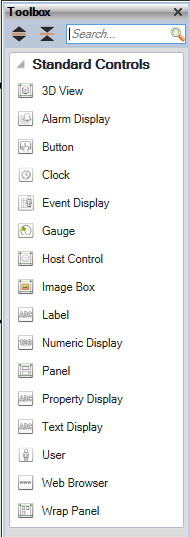
The toolbox is used to create new 2D Window controls in Operator when designing a Window.
Just click and drag a Control to add the selected control to the window form.
Expand all: Expand all sections to display all the equipment.
Collapse all: Collapse all sections so only the section headings are visible.
Search: Filter the equipment in the list by name. e.g. entering "box" (not case sensitive) will only show "Image Box" in the Toolbox. Clear the Search field to see all items in the Toolbox.